01
Application Usage Tracking
Track how much time you spend using applications and understand where your time goes throughout the day.
FocusTrack is a Windows productivity and screen time tracker that helps you monitor application usage, track your time, manage tasks, set app limits, and understand how you spend your time.
 FocusTrack
FocusTrack brings time tracking, task management, application insights, and productivity analytics together in one Windows application.
Track how much time you spend using applications and understand where your time goes throughout the day.
Organize your work with tasks, subtasks, priorities, projects, and completion tracking.
Set reminders for important tasks and receive notifications so deadlines and planned activities don't get overlooked.
Explore usage trends and productivity statistics through dashboards and visual reports.
Review historical application activity and analyze your usage over different time periods.
Choose the appearance that works best for you with support for both dark and light themes.
Explore the interface designed to help you understand your time, manage tasks, and stay focused.
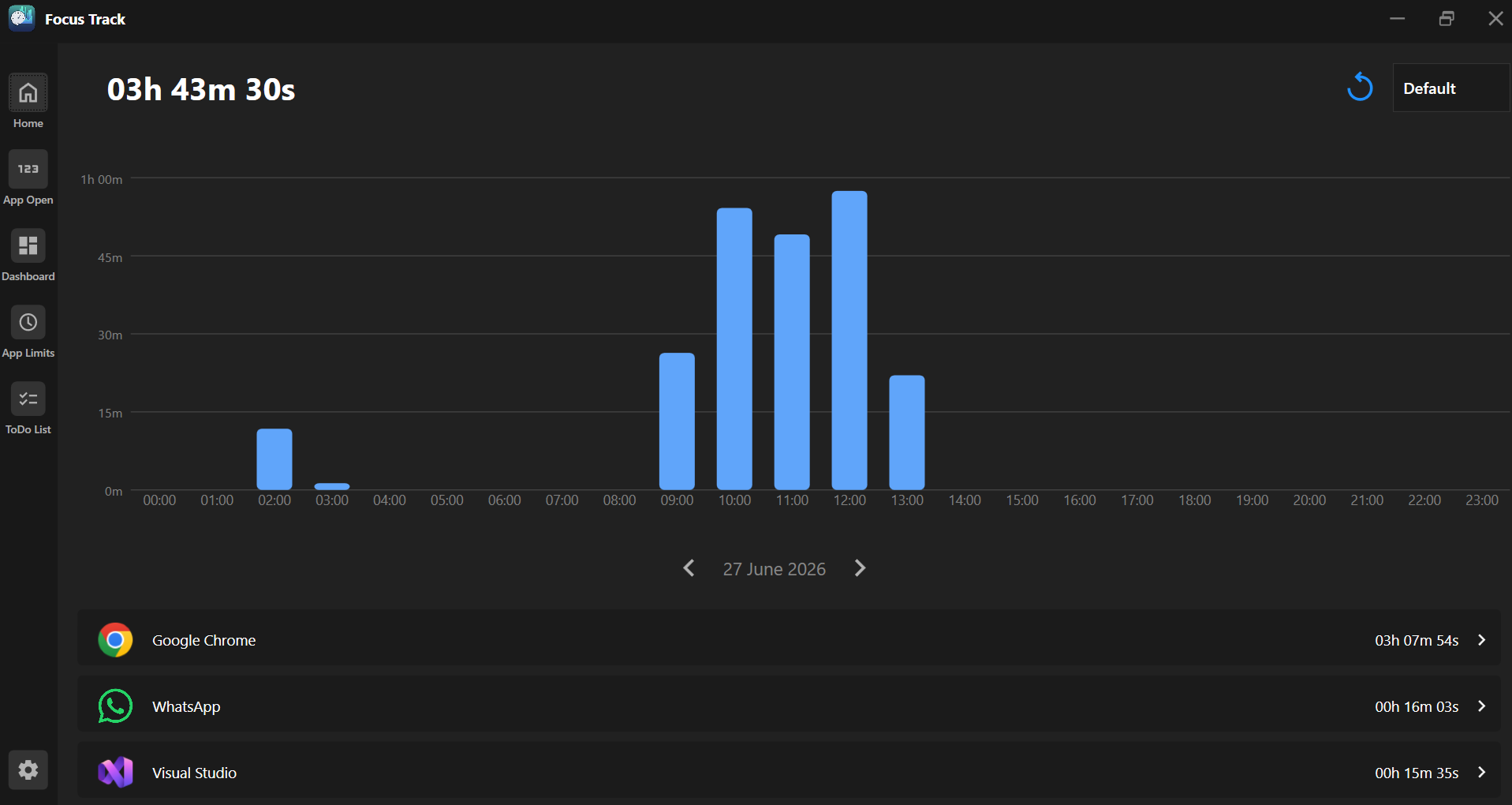
Your productivity overview at a glance.
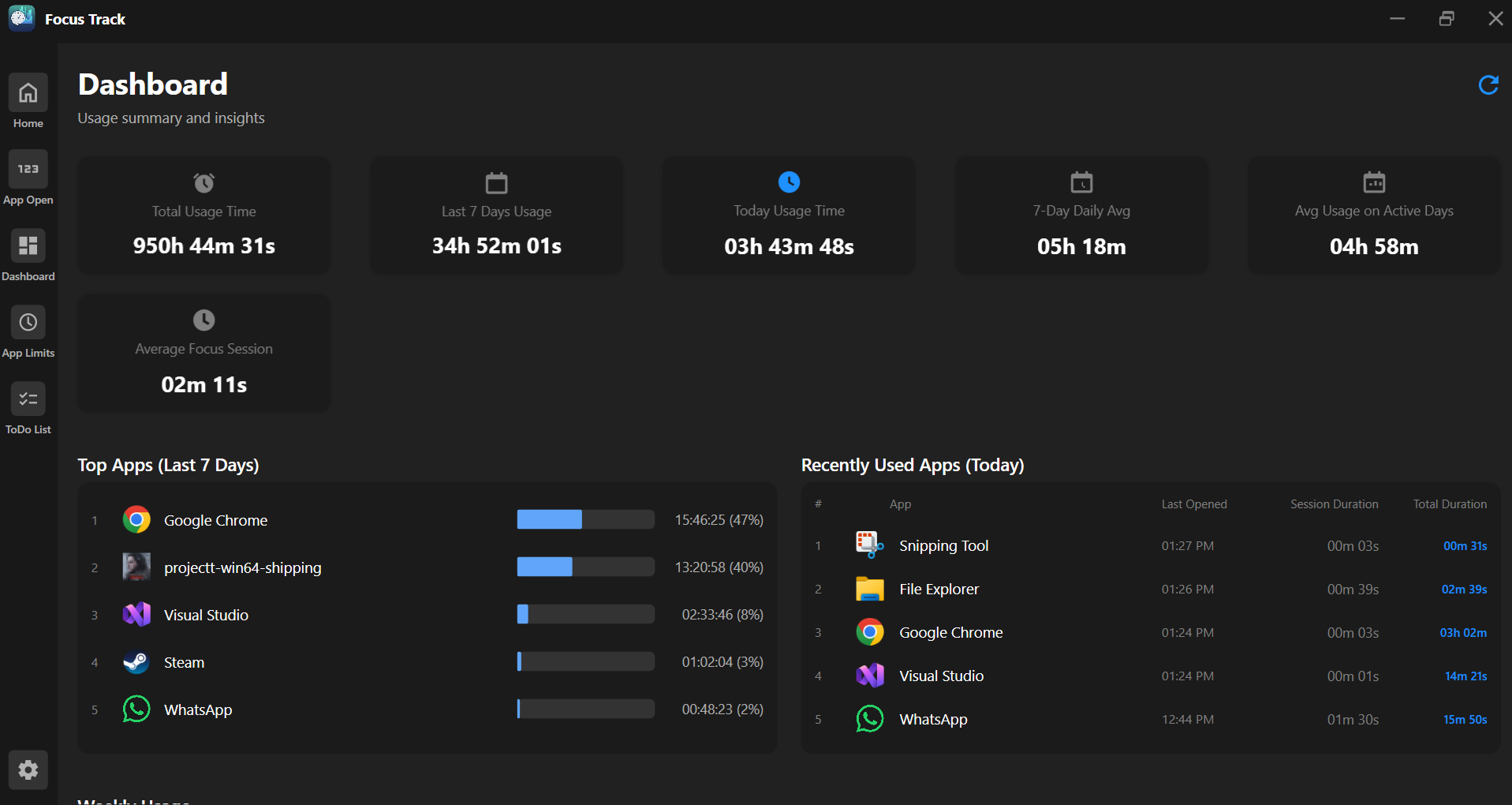
Analyze application usage and productivity trends.
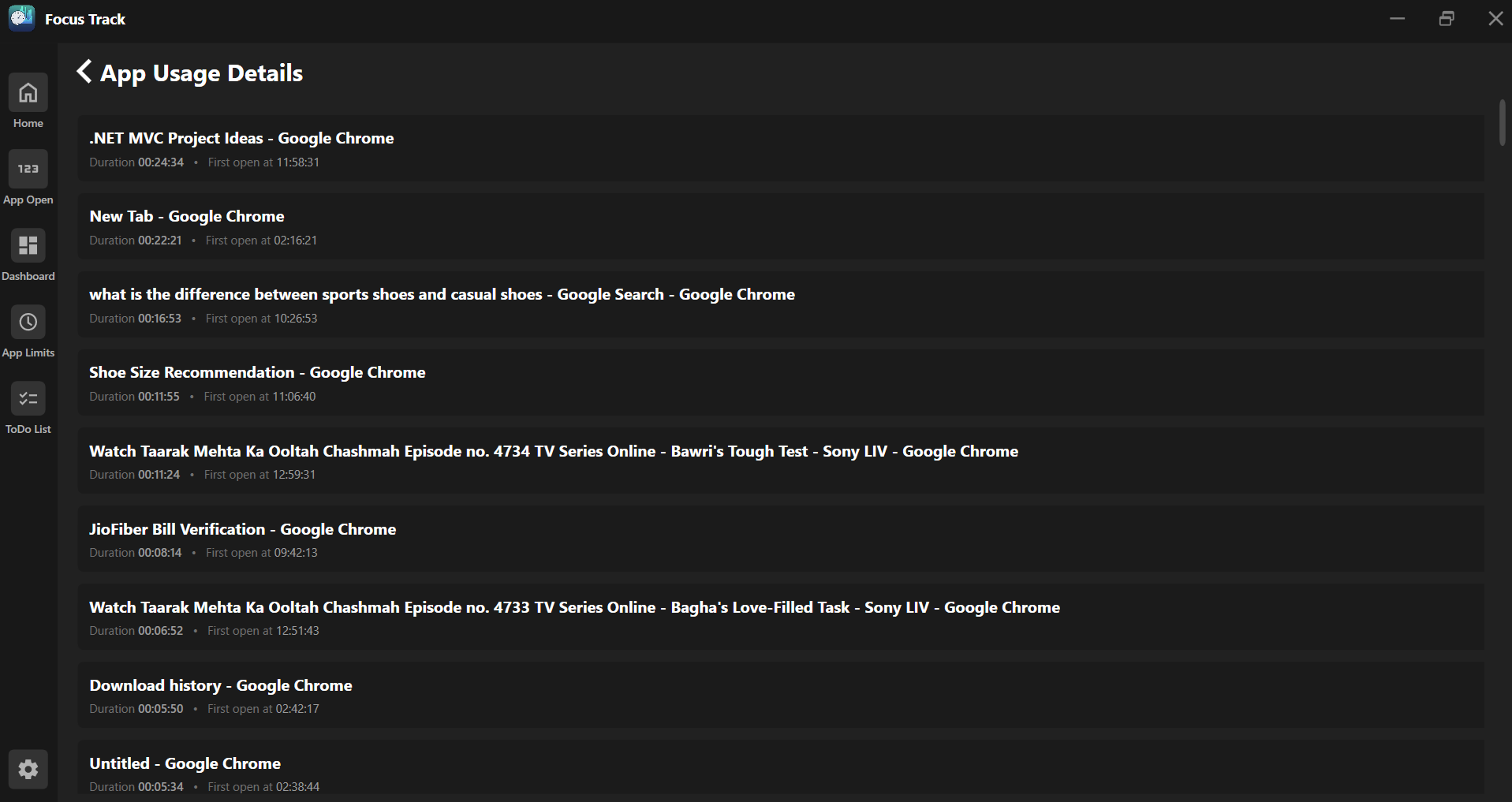
Review detailed information about application usage.
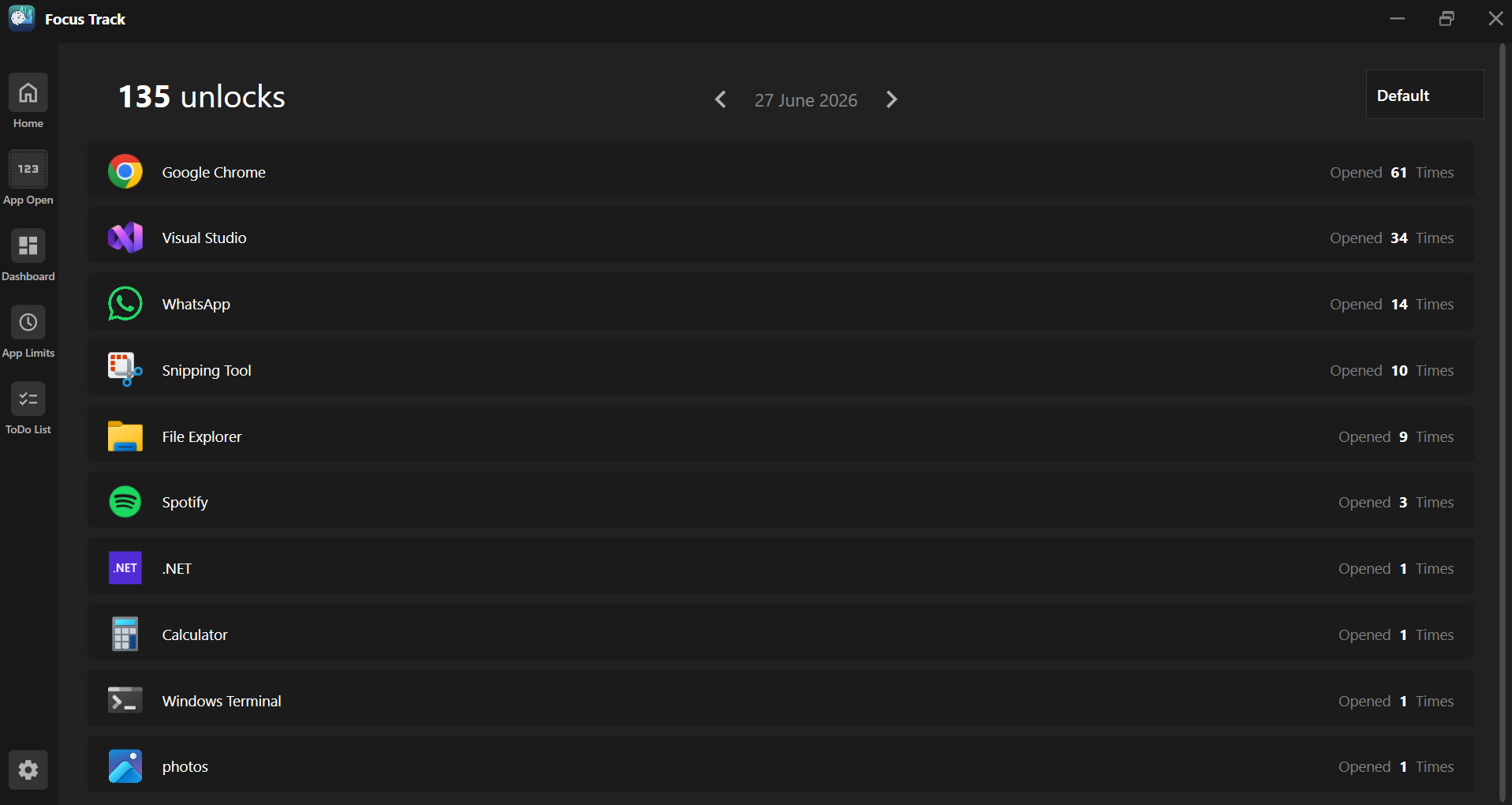
Understand how frequently applications are opened.
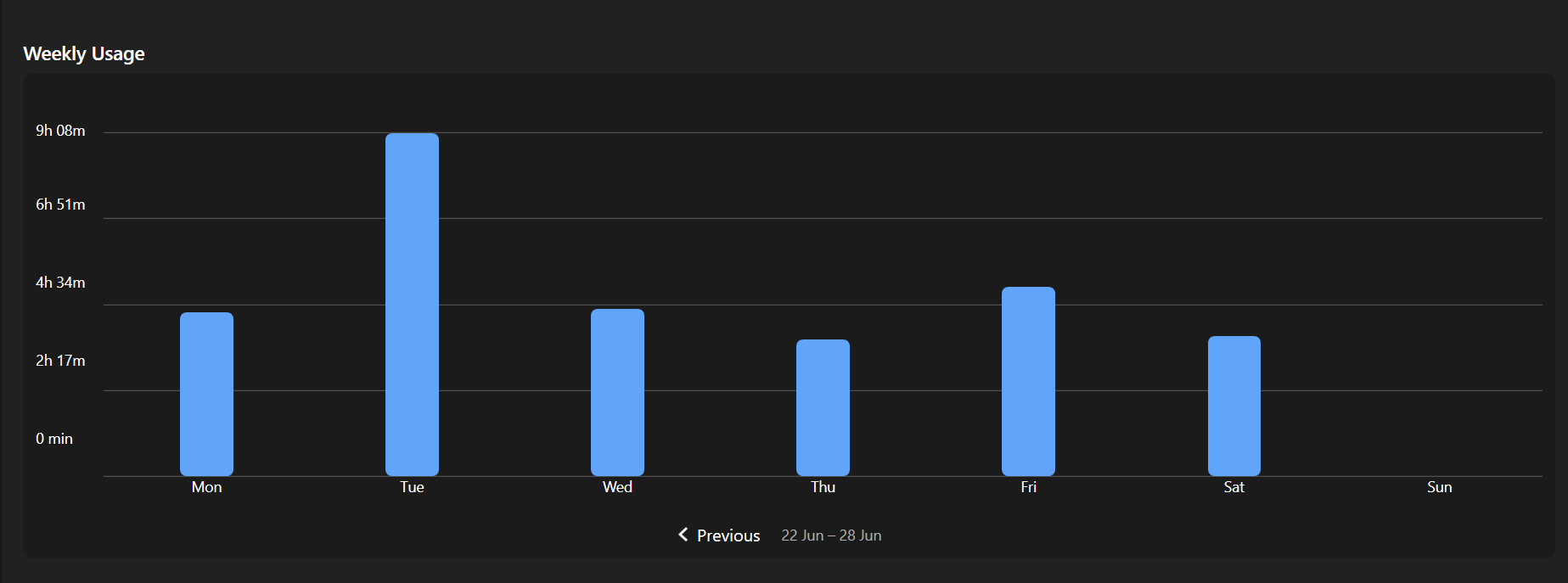
Compare your usage patterns across the week.
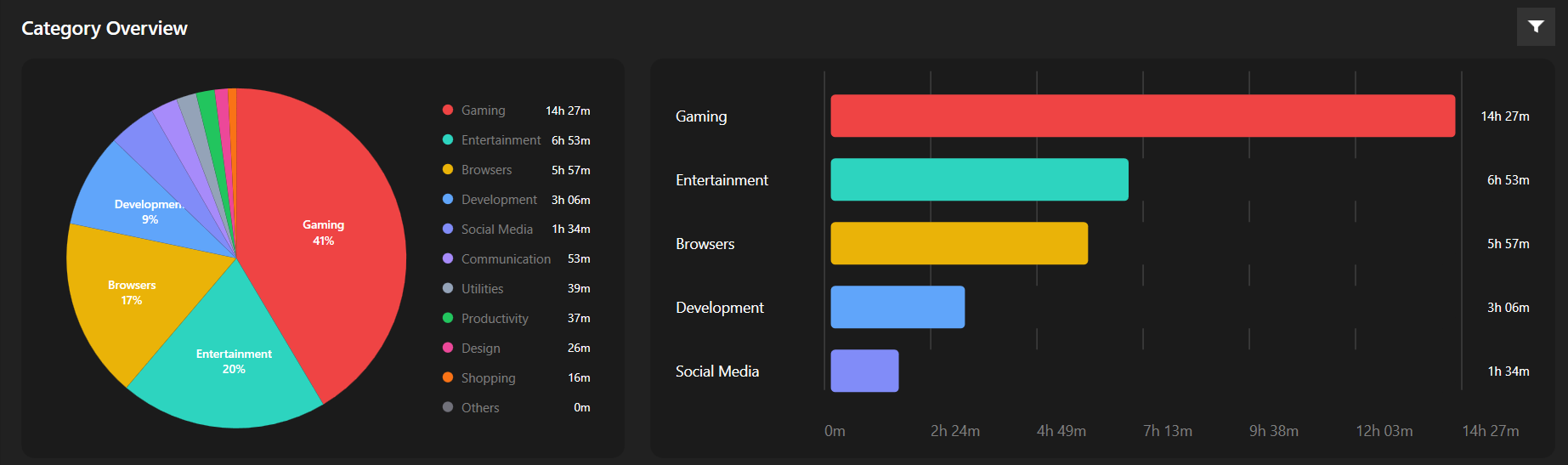
Explore your productivity data from different perspectives.
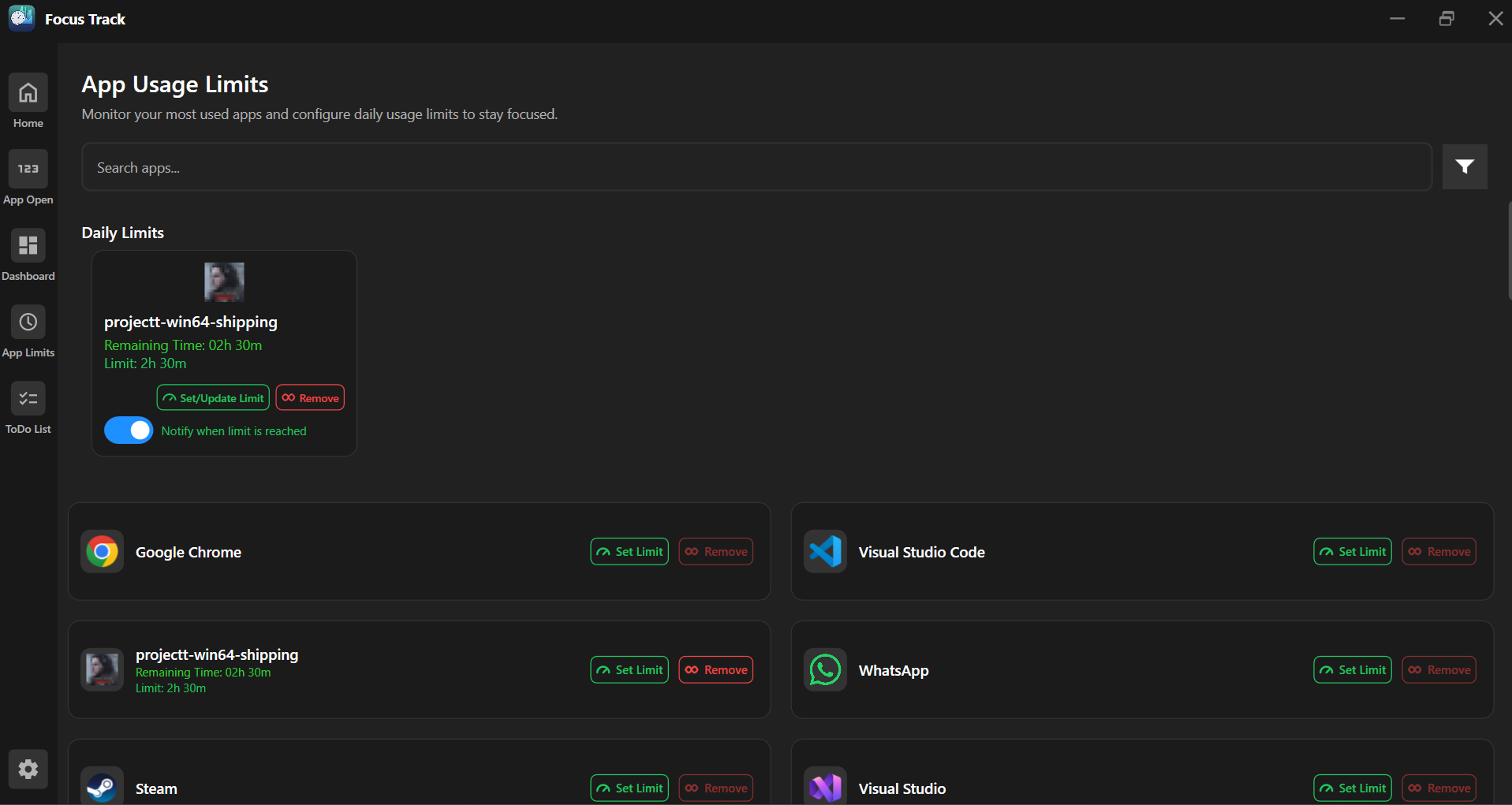
Set limits for applications and stay focused.
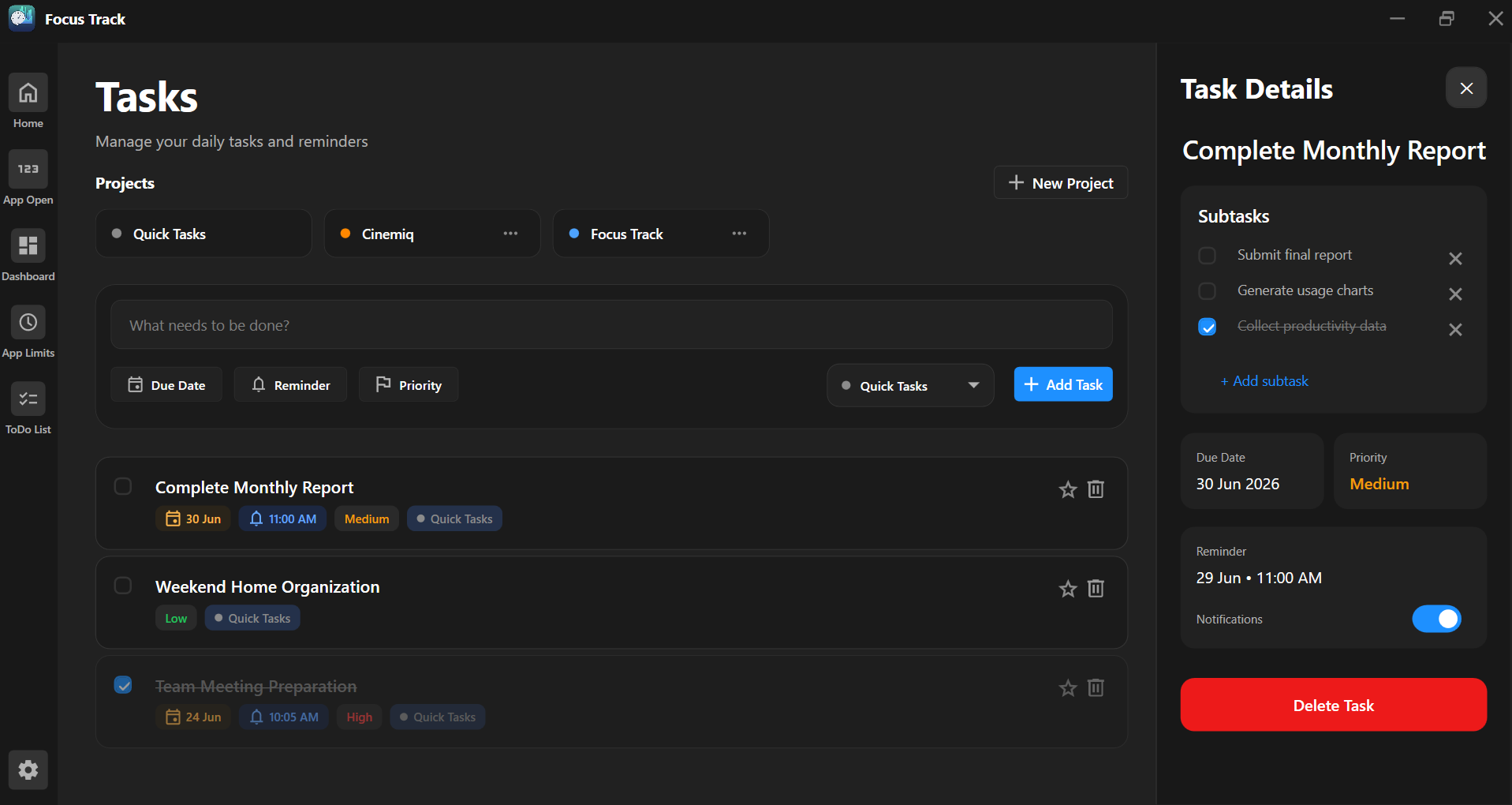
Organize tasks, subtasks, priorities, and reminders.
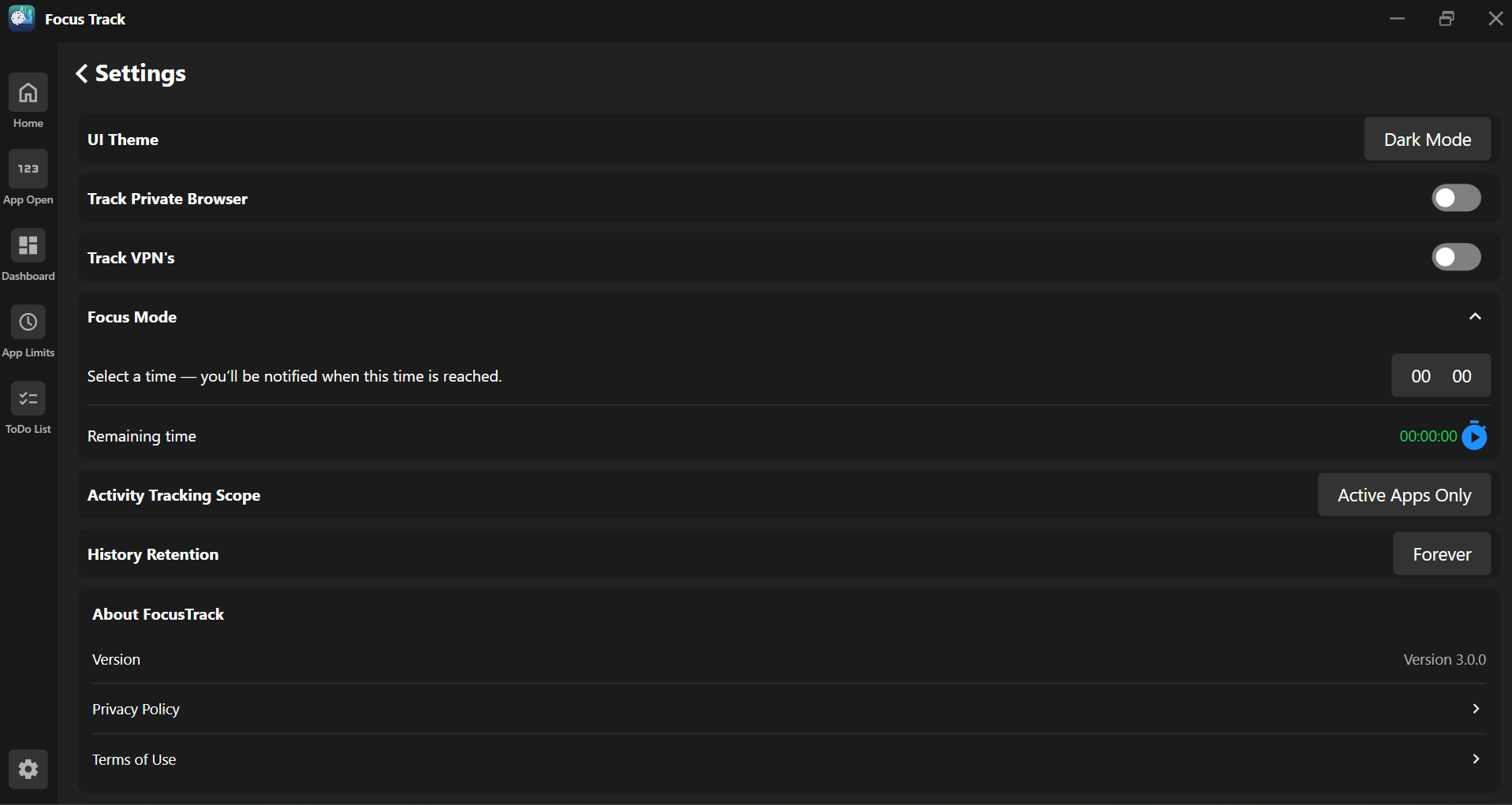
Customize FocusTrack to match your preferences.
FocusTrack is designed as a native Windows desktop productivity application, combining a modern interface with local usage tracking and productivity analytics.
Start tracking your activity, organizing your tasks, and understanding your productivity with FocusTrack.
Get FocusTrack ↗Review the policies and terms that govern the use of FocusTrack.